 SearchChamp
Plans & credits
How SearchChamp plans and credits work, what the agents cost to run, and where to manage your billing.
SearchChamp runs on a plan plus credits. Your plan sets your monthly allowances — articles, tracked prompts, keywords, audit pages — and running the agents draws from those allowances. Knowing what things cost helps you spend where it matters.
See your plan and credits
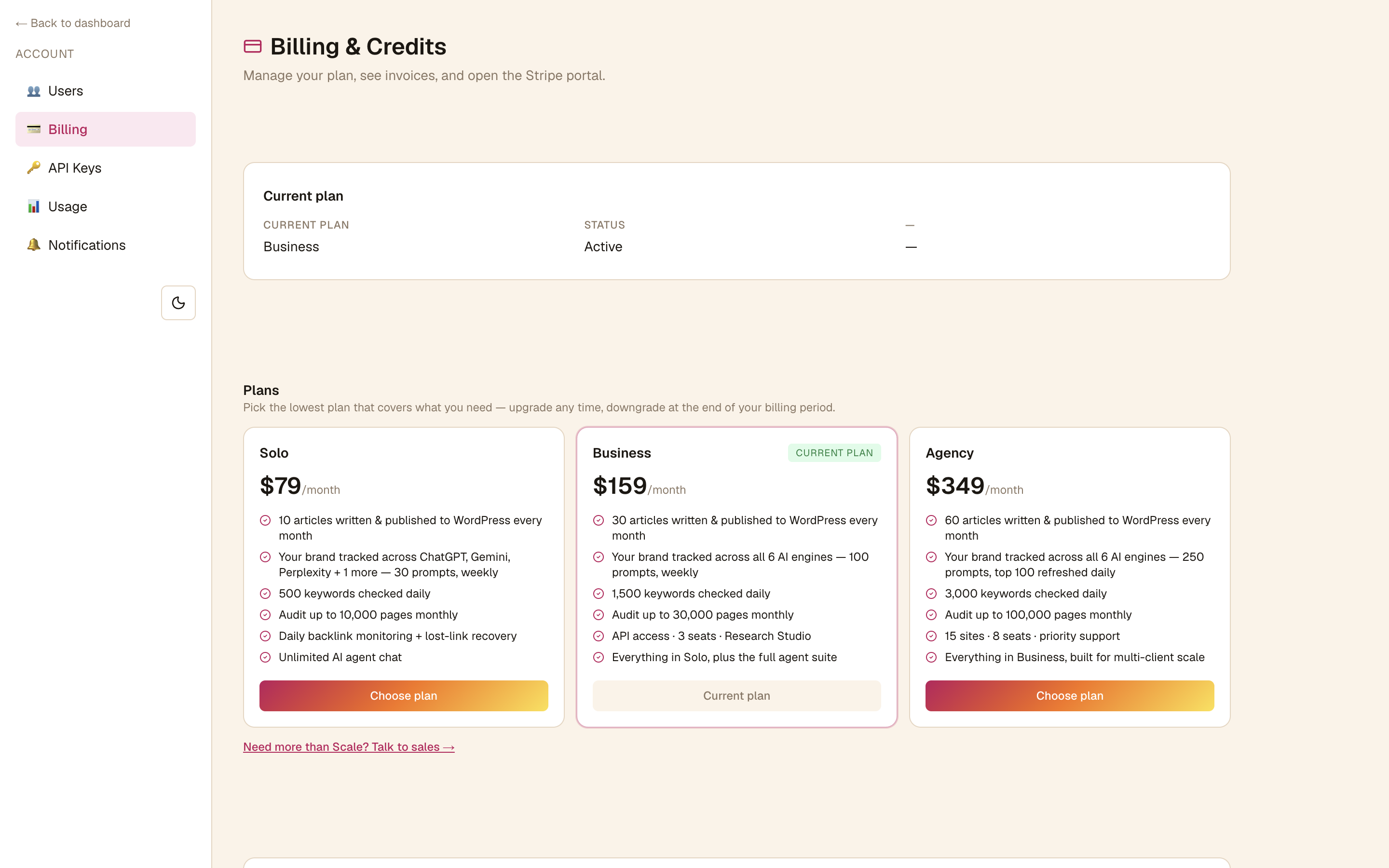
Open the Account menu (top-right) and go to Billing & Credits. You'll see your current plan, the available plans (Solo, Business, Agency) with what each includes, your payment method, and your invoice history — plus a link to the Stripe portal.
How credits work
Each agent run — a keyword pull, an audit, an AI-visibility check, a competitive deep-dive — consumes credits. Your Credits meter sits at the bottom of the sidebar, and the Usage & credits panel on the Dashboard breaks usage down per feature so you can see where your allowance is going.
What things cost
Costs vary by agent — for example AI Visibility, llms.txt, and Keyword Analysis are low-cost per run, while Research and Competitive Analysis cost more. The exact credit cost is shown next to each feature in the Usage & credits panel, and articles flag credit-cost steps with a warning callout.
Allowances reset each cycle
Your allowances refresh every billing cycle. If you regularly run out, Business and Agency plans can enable Overages to bill extra credits past your plan's limits so your work isn't interrupted — manage this from Billing & Usage.
Manage billing
Use Billing & Credits to upgrade or downgrade (upgrades apply immediately; downgrades take effect at the end of the period), update your payment method, and download invoices through the Stripe portal.
Related articles
Connect Search Console & Analytics
Connect Google Search Console and GA4 so your dashboard, audits, and opportunities run on your real data.
Audit your site and fix what matters first
Run a multi-engine Site Health audit, then work through the issues top-down by severity so you fix what's actually hurting you.