 SearchChamp
What SearchChamp does
The SearchChamp loop — research, create, publish, track, and fix — and the dashboard where you run it all.
SearchChamp is one platform for winning on both search engines and AI assistants. Instead of stitching together separate tools, you run a single connected loop: research what to target, create and publish content that ranks, track how you perform in Google and in AI answers, and fix what's slipping — with agents doing the heavy lifting and you making the calls.
The loop
Everything in SearchChamp feeds the same cycle:
- Research — find keyword targets and content opportunities.
- Create & publish — turn a topic into a published, on-brand article.
- Track — watch your rankings and your AI visibility.
- Fix — audit your site and protect your backlinks.
Each page you ship sharpens the next round.
Your dashboard
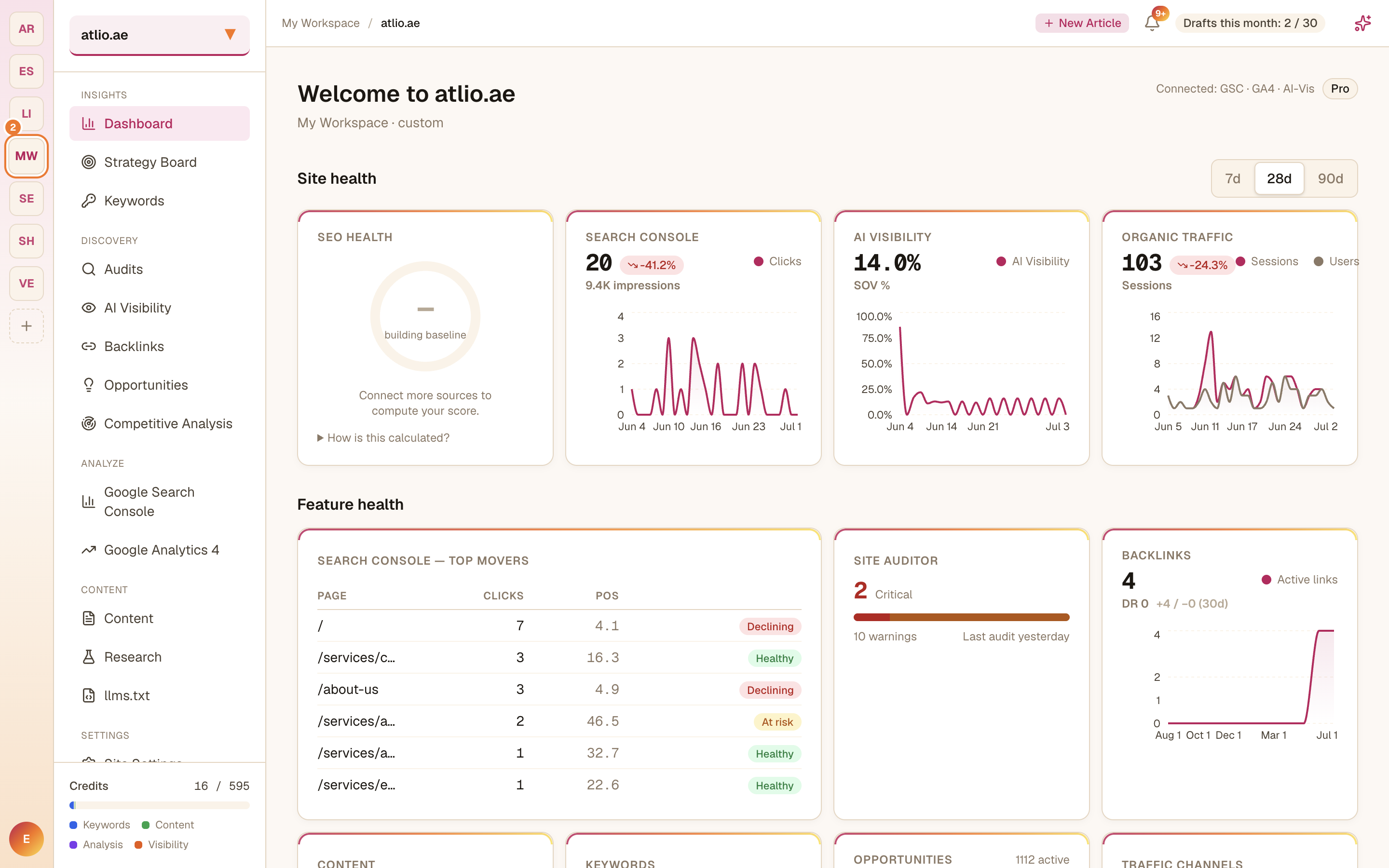
The Dashboard is your command center. It pulls together your SEO health, Search Console and organic-traffic trends, a Feature Health summary across the Site Auditor, Backlinks, Content, and Keywords, a "This week — do this next" list of prioritized actions, and your Usage & credits.
Where things live
The left sidebar groups the product by what you're doing:
- Insights — Dashboard, Strategy Board, Keywords.
- Discovery — Audits, AI Visibility, Backlinks, Opportunities, Competitive Analysis.
- Analyze — Google Search Console, Google Analytics 4.
- Content — Content, Research, llms.txt.
- Settings — Site Settings.
New here? Head to a Core Workflow for the goal you care about most, and follow it end to end.
Related articles
SearchChamp Help Center
Guides and reference for getting results with SearchChamp — audit, research, create, publish, and track your AI visibility.
Create your workspace and add a site
Understand how SearchChamp organizes your work into workspaces, brands, and sites — and add the site you want to optimize.