 SearchChamp
Monitor and recover your backlinks
Watch your link profile — gains, losses, anchor diversity, and spam — and act before a lost link costs you authority.
Backlinks are still one of the strongest signals of authority, and they change constantly — a link you earned last month can quietly disappear. The Backlinks surface tracks your live link profile, flags gains and losses, measures anchor diversity, and surfaces link-gap targets so you can build the links that move rankings.
What you'll need
- A connected site. Connecting GA4 lets SearchChamp attribute referral traffic to your links for richer data.
Steps
Open Backlinks
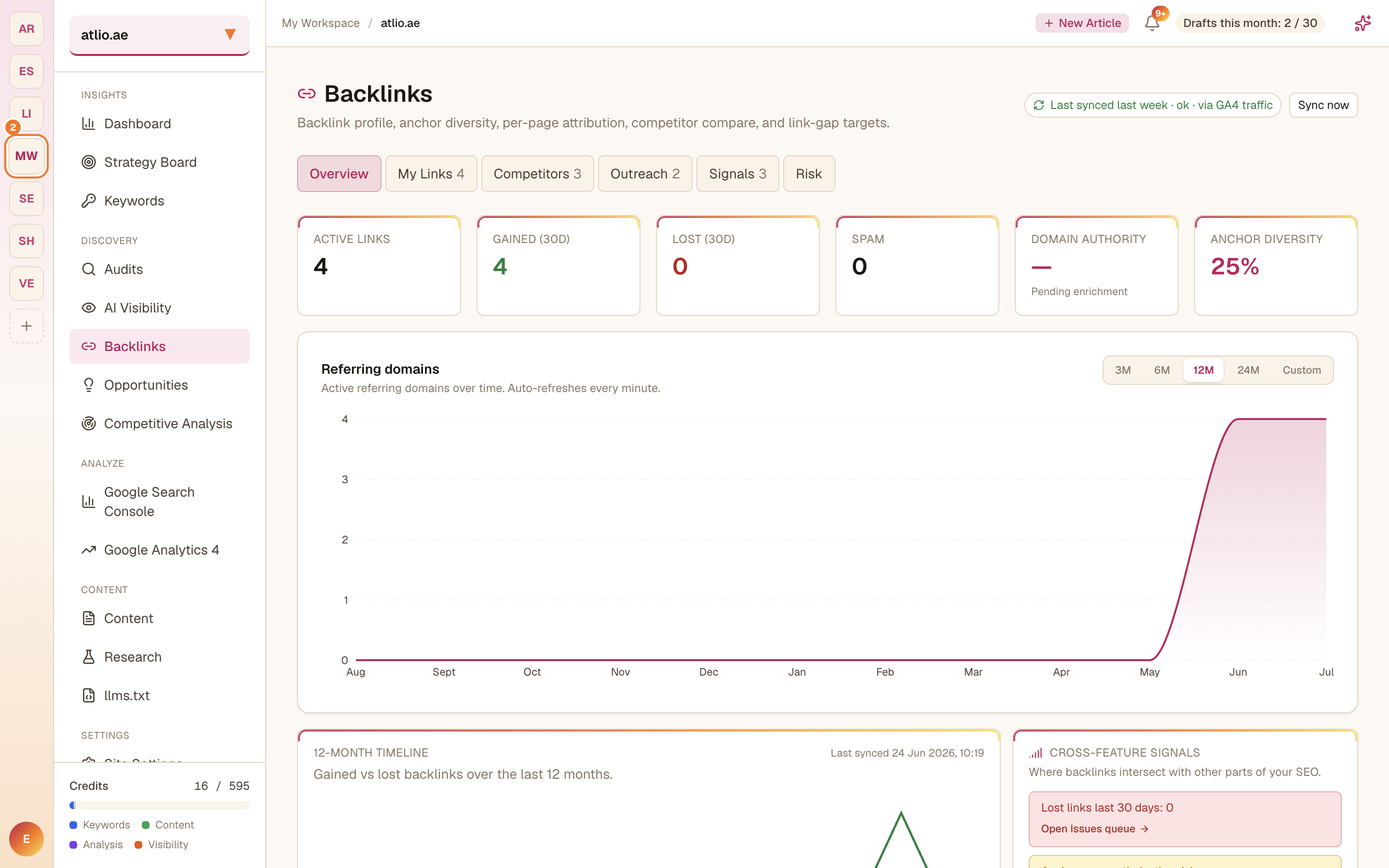
In the left sidebar under Discovery, select Backlinks. The Overview gives you the headline numbers: Active Links, links Gained and Lost in the last 30 days, Spam, Anchor Diversity, and a referring-domains timeline so you can see your profile trend over 3–24 months.
Sync your latest data
Select Sync now to refresh your profile. SearchChamp pulls links from its backlink index and, where connected, attributes referral traffic via GA4 — the header shows when your data was last synced.
Review your links
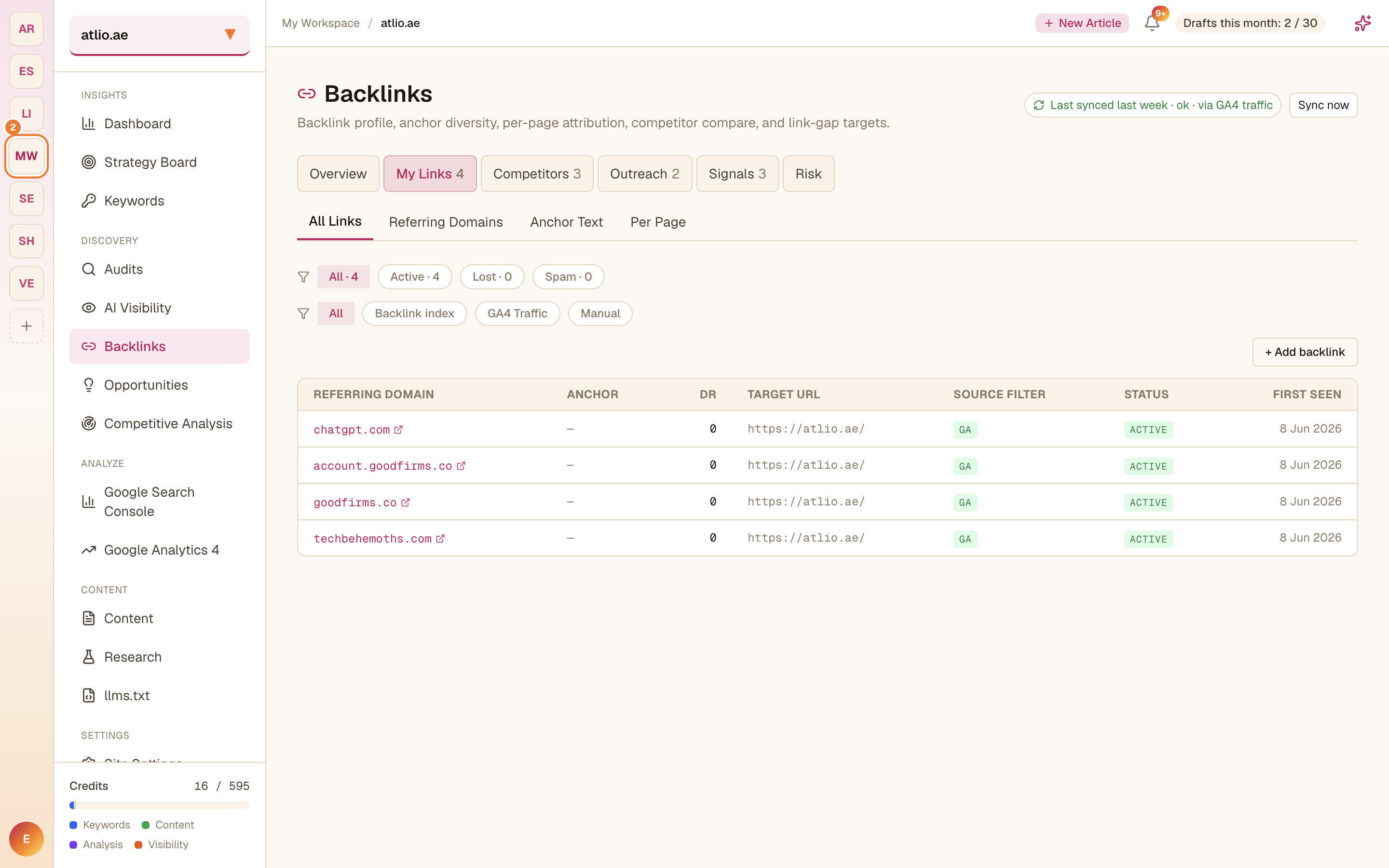
Open the My Links tab and switch between All Links, Referring Domains, Anchor Text, and Per Page. Filter by Active, Lost, or Spam to focus, and add a link SearchChamp hasn't found yet with Add backlink. Watch Anchor Diversity — a healthy profile spreads across many anchors rather than repeating the same one.
Compare competitors and find gaps
Use the Competitors tab to see where rivals earn links you don't. These link-gap targets are your shortlist for outreach.
Act on outreach and risk
Work your targets from the Outreach tab, keep an eye on the Signals and Risk tabs for toxic or lost links, and recover or disavow before they drag your authority down.
Related articles
Track your AI visibility
See how ChatGPT, Claude, Perplexity, Gemini, and Grok answer for your brand — and close the gaps where rivals get cited instead.
Grow and protect your backlinks
Track competitor links, turn unlinked brand mentions into links, find prospects, watch links at risk, and run outreach — all from one place.