 SearchChamp
Plan your SEO strategy
Turn your audits, keywords, and opportunities into a prioritized, trackable action plan on the Strategy Board.
It's easy to generate more work than you can act on. The Strategy Board is where scattered insights become a plan — a simple board that tracks your SEO tasks from idea to done, organized by category and priority, with the agents suggesting what to work on next.
What you'll need
- A connected site. The board's suggestions get richer as your agents run and surface work worth doing.
Steps
Open the Strategy Board
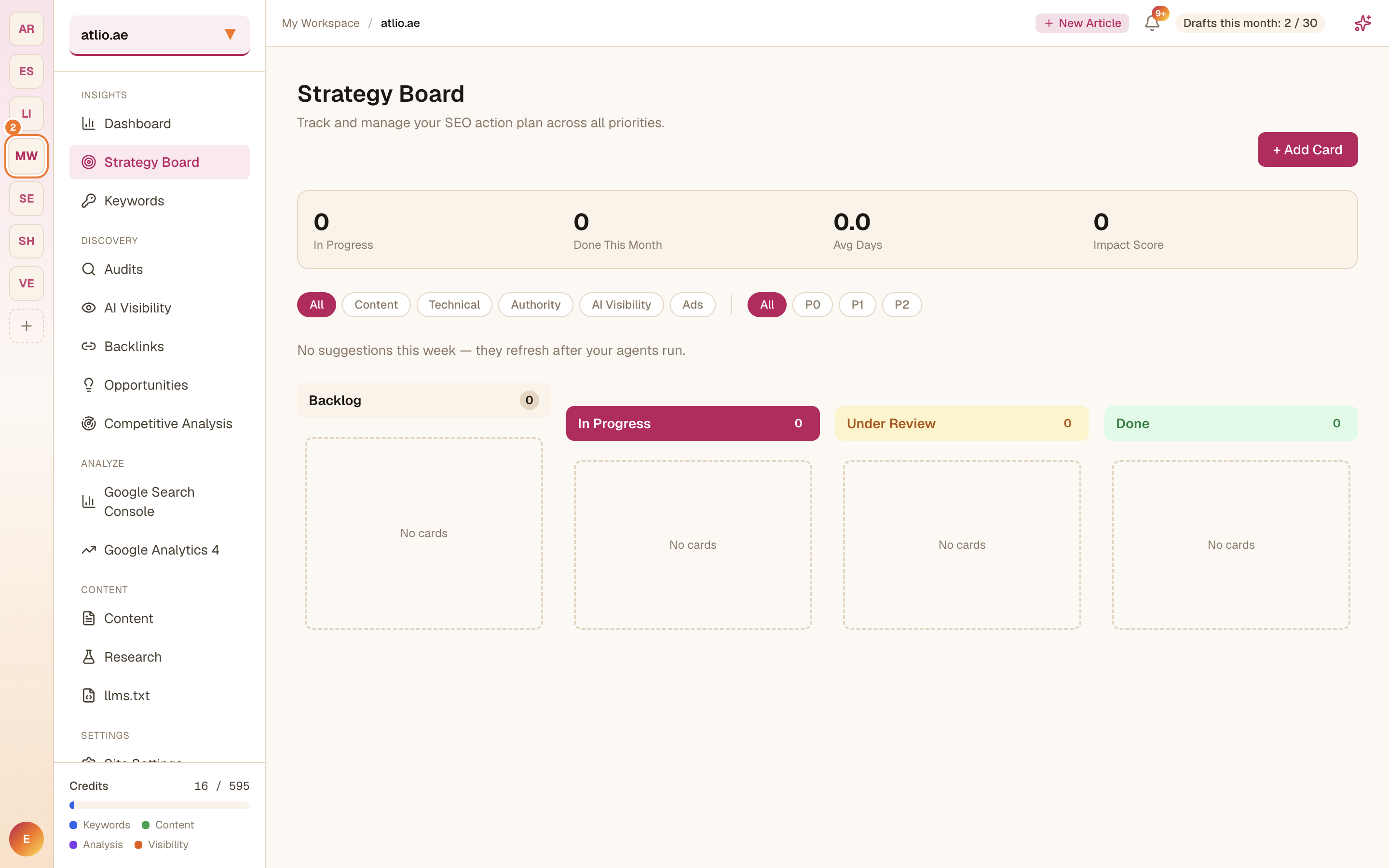
In the left sidebar under Insights, select Strategy Board. Your plan is a board with four columns — Backlog, In Progress, Under Review, and Done — plus headline metrics (In Progress, Done This Month, Avg Days, Impact Score) and filters for category (Content, Technical, Authority, AI Visibility, Ads) and priority (P0–P2).
Add a card
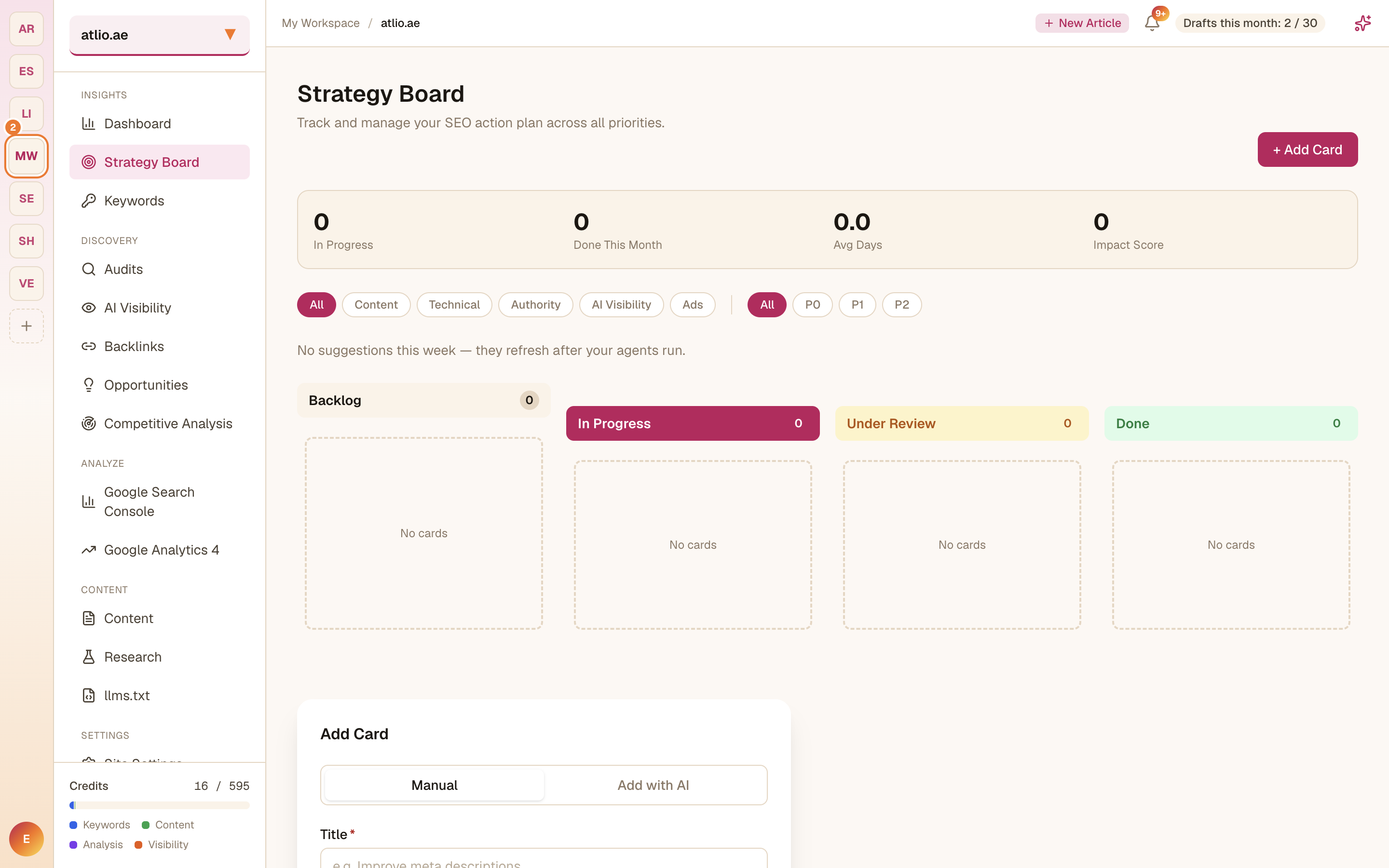
Select + Add Card. Create a card Manually or with AI, then set its Title, Category, Priority, Owner, Due Date, and a Description. Each card is one piece of work you intend to ship.
Work the board
Drag cards across the columns as work moves from Backlog to In Progress, Under Review, and Done. The metrics at the top update so you can see your throughput at a glance.
Let suggestions guide you
The board surfaces suggestions for what to tackle next — they refresh after your agents run. Promote the ones worth doing into cards so nothing high-impact slips.