 SearchChamp
Create and publish content that ranks
Go from a topic to a scored, on-brand draft to a published article — with the Content Writer doing the research and drafting.
Once you know what to target, the Content Writer turns a topic into a finished, on-brand article. It researches, outlines, and drafts using your Brand Voice, scores the result for SEO and GEO, and queues it for your review — then publishes to your connected CMS in one step. You stay in control: the agent proposes, you approve.
What you'll need
- A connected site and a topic or keyword to write about (shortlist targets on the Keywords surface first).
- Your Brand Voice set up, so drafts sound like you.
- Article credits available, and — to publish — a connected CMS such as WordPress.
Steps
Open Content
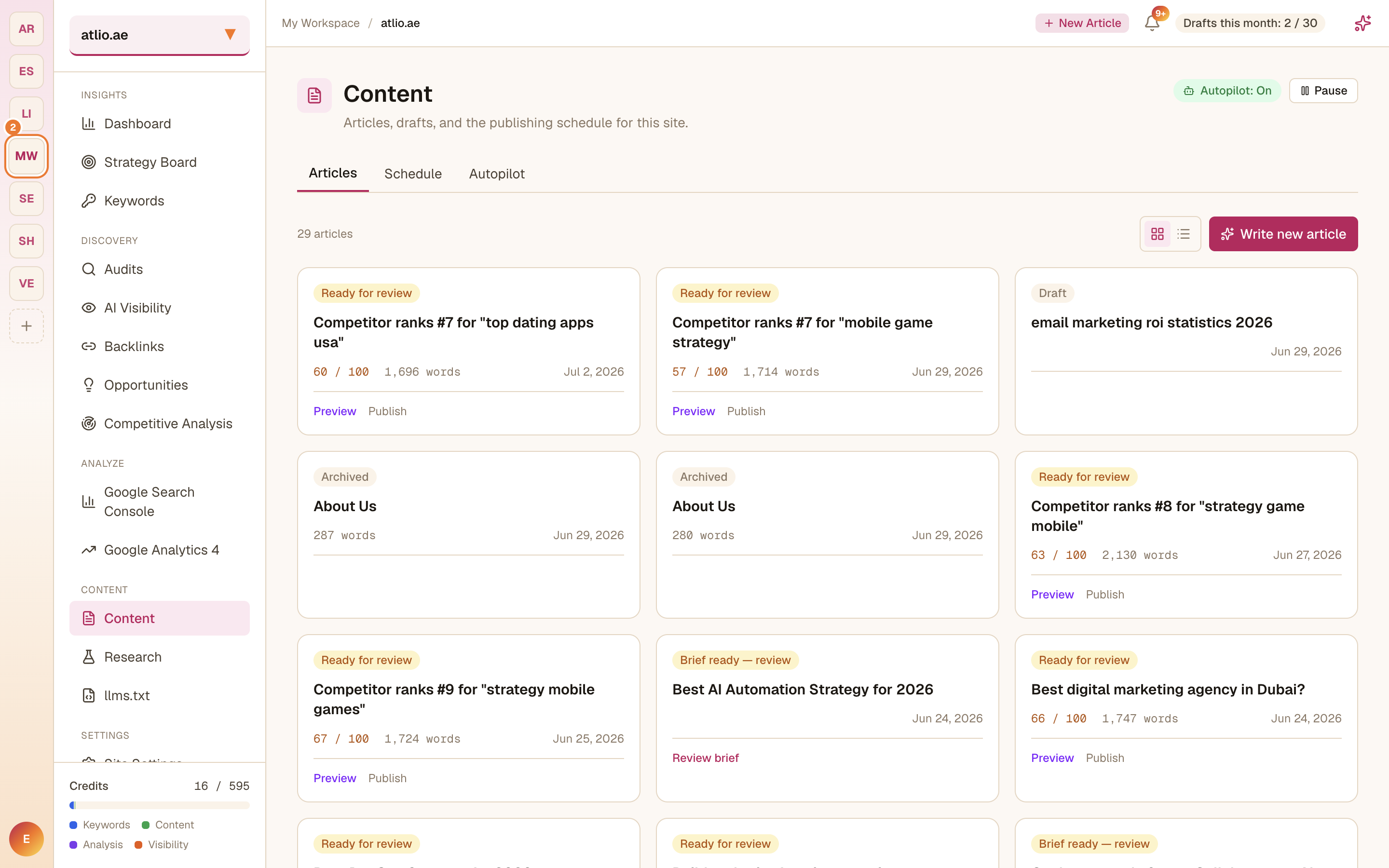
In the left sidebar under Content, select Content. The Articles tab lists everything for this site — drafts, articles Ready for review, and archived pieces — each with its SEO/GEO score and word count. The Schedule and Autopilot tabs let you plan and automate publishing.
Start a new article
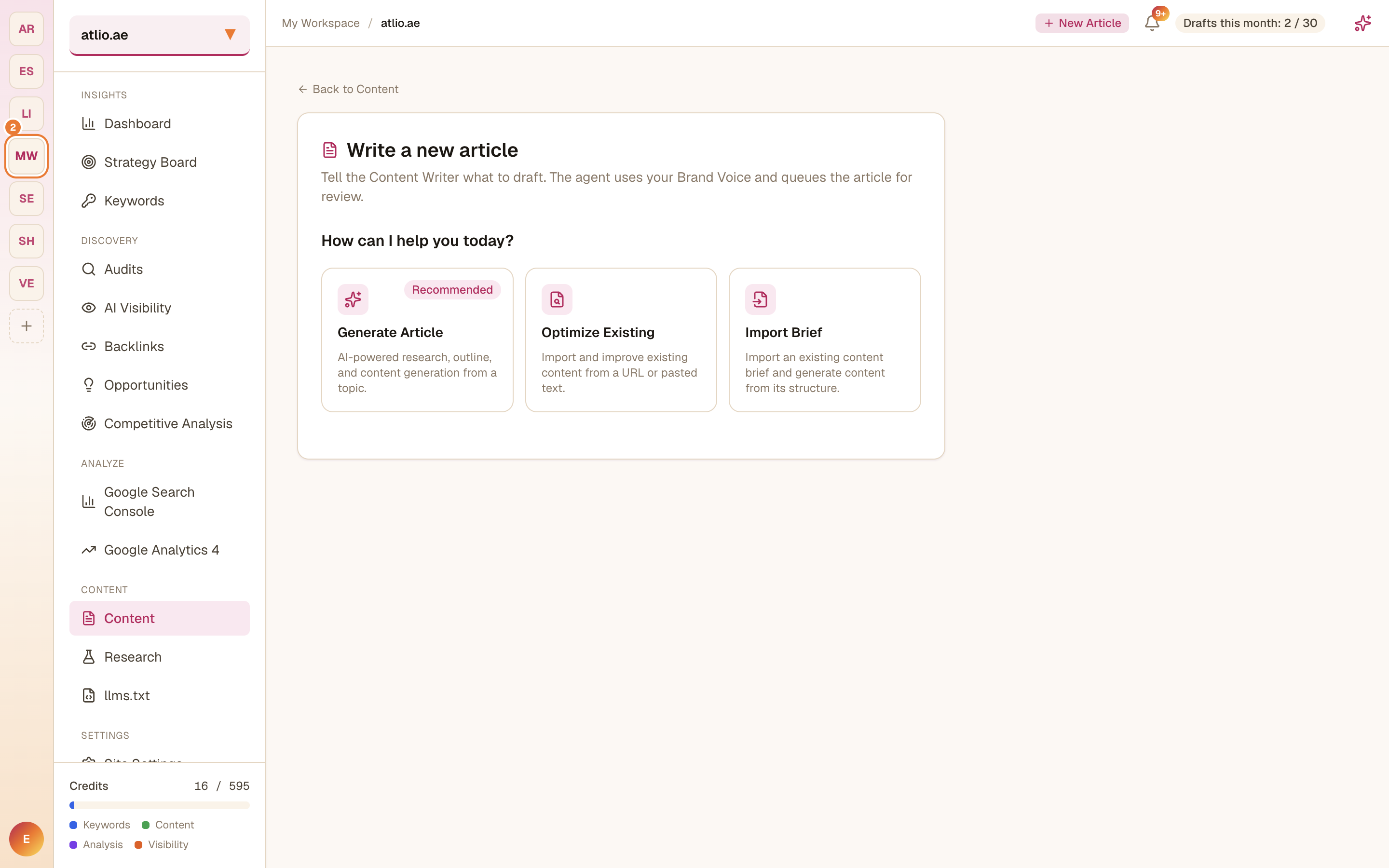
Select Write new article and tell the Content Writer what to draft. Choose how to begin:
- Generate Article — AI-powered research, outline, and content generation from a topic.
- Optimize Existing — import and improve content from a URL or pasted text.
- Import Brief — generate content from an existing content brief's structure.
Generating an article draws from your plan's Article allowance, and drafts count against your monthly draft cap (shown as "Drafts this month" in the header).
Let the agent draft it
The Content Writer researches your topic, builds an outline, and drafts the article using your Brand Voice, then queues it for review. You can watch it work and step in whenever you want.
Review and raise the score
Open the draft to review it. Each article carries an SEO/GEO score out of 100 — tighten the draft against the agent's suggestions to raise it before you publish.
Publish
When the article is Ready for review and you're happy with it, use Preview to check it, then Publish to send it live to your connected CMS. Every published page then becomes something to monitor and improve.
Related articles
Research keywords and pick targets
Build a keyword set for your site, see the metrics that matter, and shortlist the terms worth acting on.
Plan and schedule content with autopilot
Turn approved opportunities into scheduled, on-brand drafts so your content calendar keeps moving with less hands-on work.