 SearchChamp
Audit your site and fix what matters first
Run a multi-engine Site Health audit, then work through the issues top-down by severity so you fix what's actually hurting you.
Most SEO and GEO problems are invisible until they've already cost you rankings — broken pages, thin content, weak structure, missing metadata. A Site Health audit crawls your site the way a search engine does, surfaces every issue in one pass, and sorts them by severity so you know exactly where to start. Run this first, before anything else in SearchChamp.
What you'll need
- A connected site (the audit crawls the site you have selected).
- Site Audit credits available — each run draws from your plan's Site Audit allowance.
Steps
Open Audits
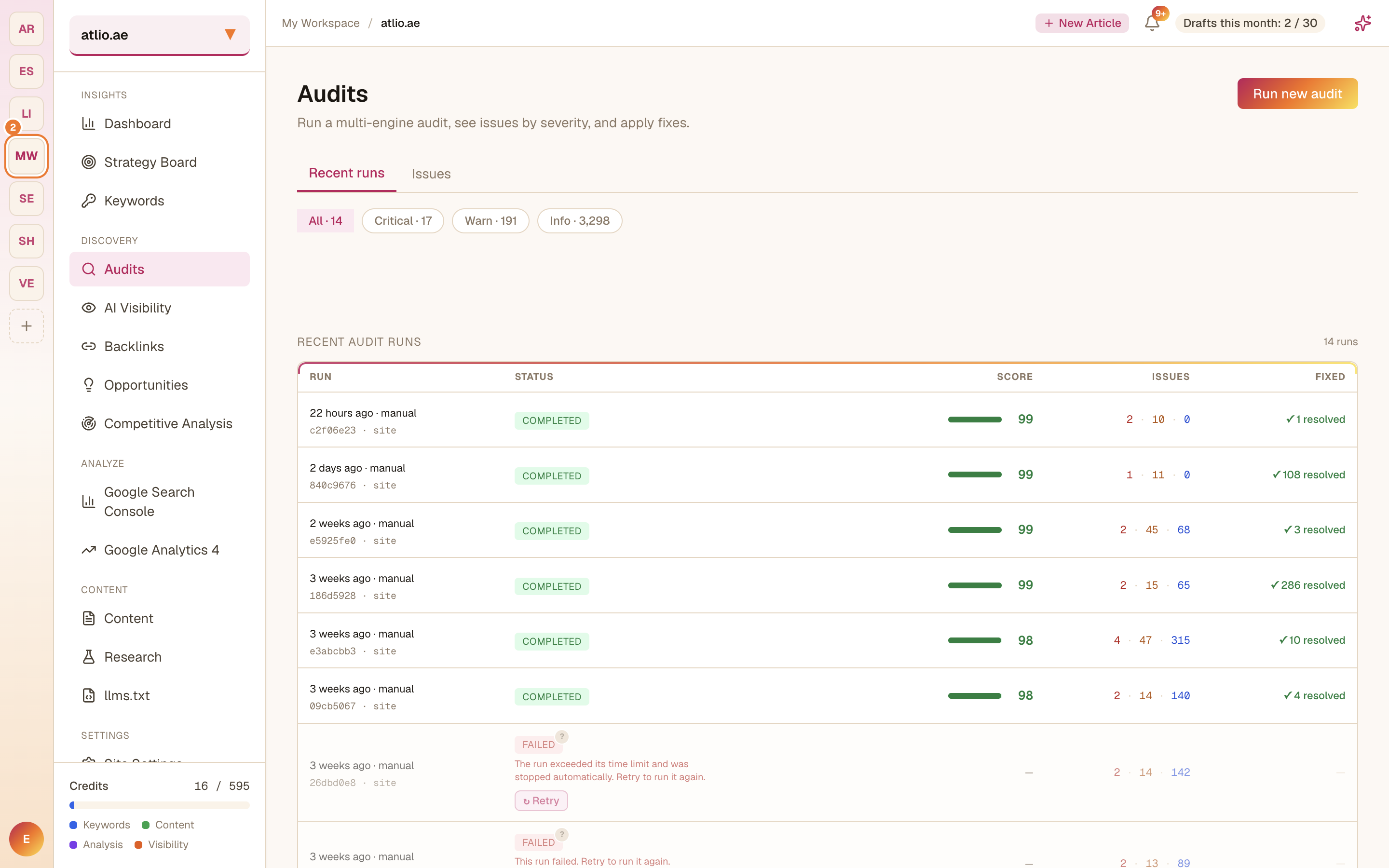
In the left sidebar under Discovery, select Audits. You land on your recent runs: each row shows a health Score, the number of Issues by severity, and how many were Fixed. The tabs across the top break the current issues into All, Critical, Warn, and Info.
Run a new audit
Select Run new audit to start a fresh multi-engine crawl of your site. SearchChamp evaluates technical issues, content quality, and site structure, then computes a health score out of 100.
Each audit consumes a Site Audit credit. Very large sites can occasionally exceed the crawl time limit and show as Failed — if that happens, use Retry this audit with the same settings to run it again.
Read your score and history
When the run completes, check its Score and issue counts. Because every run is saved, you can compare against earlier runs to see whether your fixes are moving the score in the right direction — the run history is the long view of your site's health.
Work the issues by severity
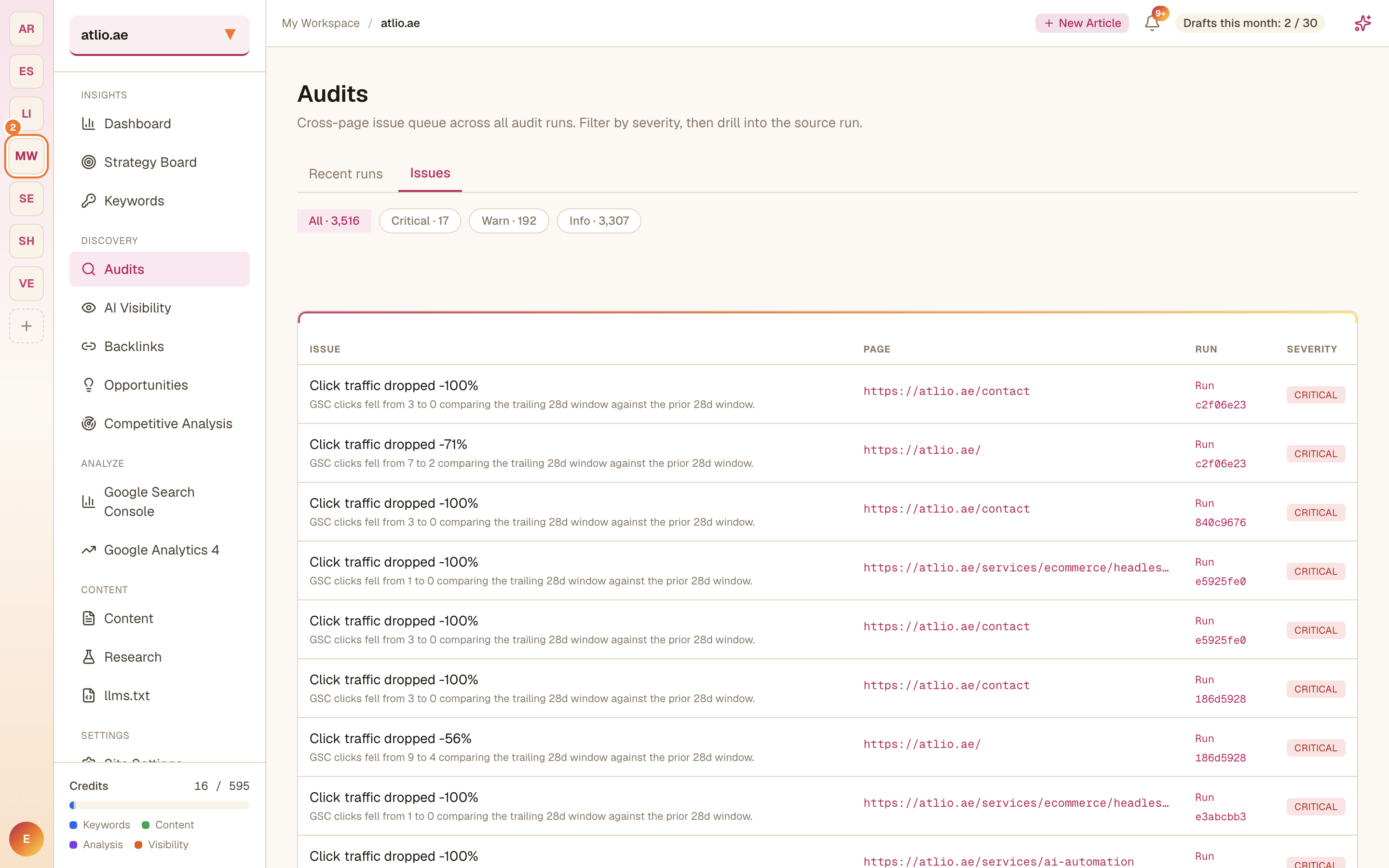
Open Issues to see the cross-page issue queue across all your runs. Filter by Critical first — these are the problems most likely to be actively hurting your rankings — then work down to Warn and Info. Each issue names the affected page and the run it came from, so you can drill straight into the source.
Fix, then re-run
Resolve issues top-down, then run a fresh audit to confirm the fixes landed and the score improved. Give Google a little time to re-crawl before you expect ranking changes to follow.