 SearchChamp
Research keywords and pick targets
Build a keyword set for your site, see the metrics that matter, and shortlist the terms worth acting on.
Before you write anything, you need to know what to write about. The Keywords surface is where you build your site's keyword set, enrich it with search volume and difficulty, group it into topic clusters, and shortlist the terms worth targeting. This is the starting point for most work in SearchChamp — your shortlisted keywords feed content, opportunities, and AI-visibility tracking.
What you'll need
- A connected site (Keywords is scoped to the site you have selected).
- Keyword Research credits available — building and enriching keywords draws from your plan's Keyword Research allowance.
Steps
Open Keywords
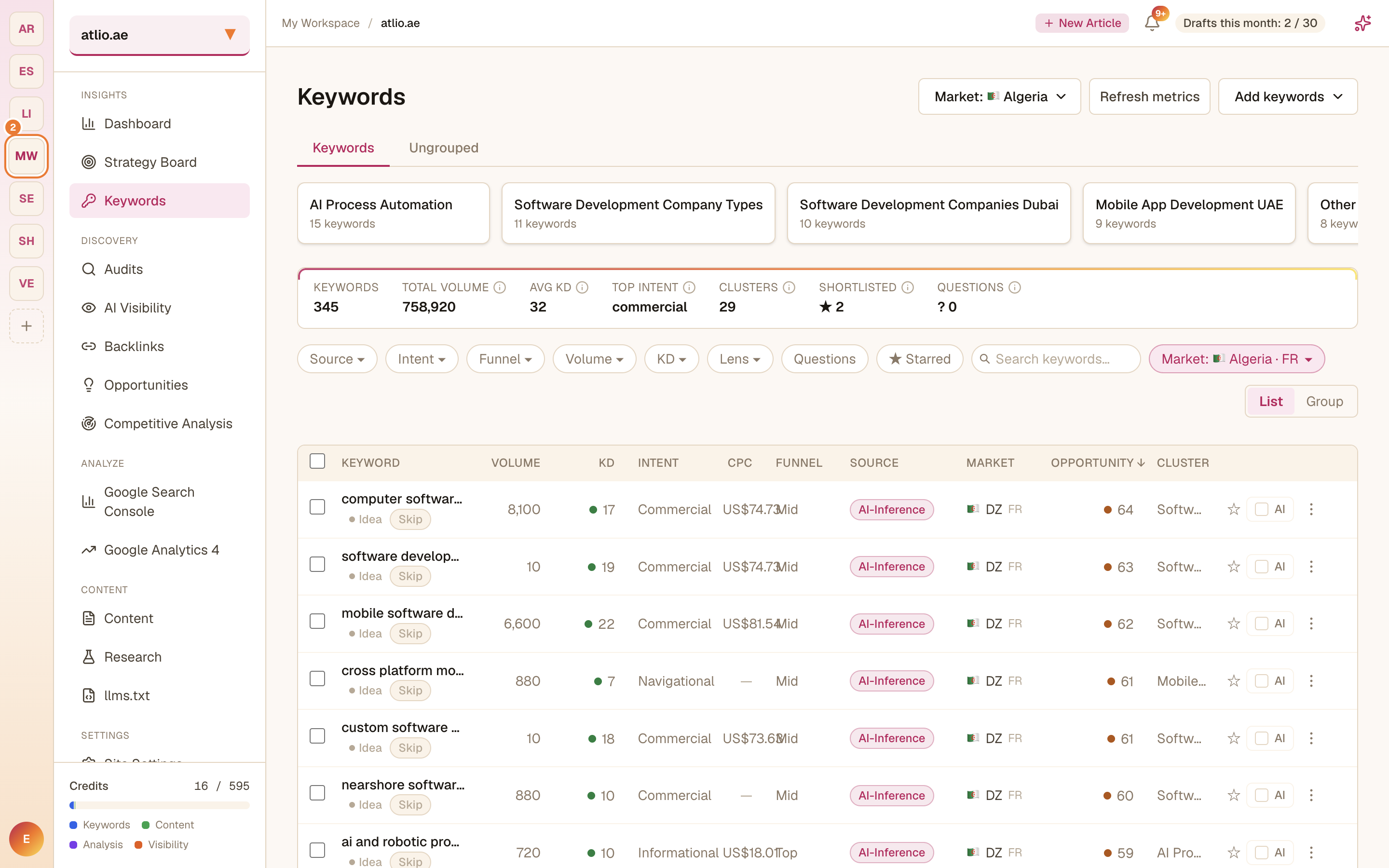
In the left sidebar under Insights, select Keywords. You land on your saved keyword set with a summary strip across the top: total Keywords, Total Volume, Avg KD (keyword difficulty), Top Intent, Clusters, Shortlisted, and Questions.
Add keywords
Select Add keywords (top right) and choose how you want to grow your set:
- Expand from seed — enter a starting keyword and let SearchChamp expand it into related terms.
- AI generate — describe your topic and generate a fresh batch of ideas.
- CSV import — bring in a list you already have.
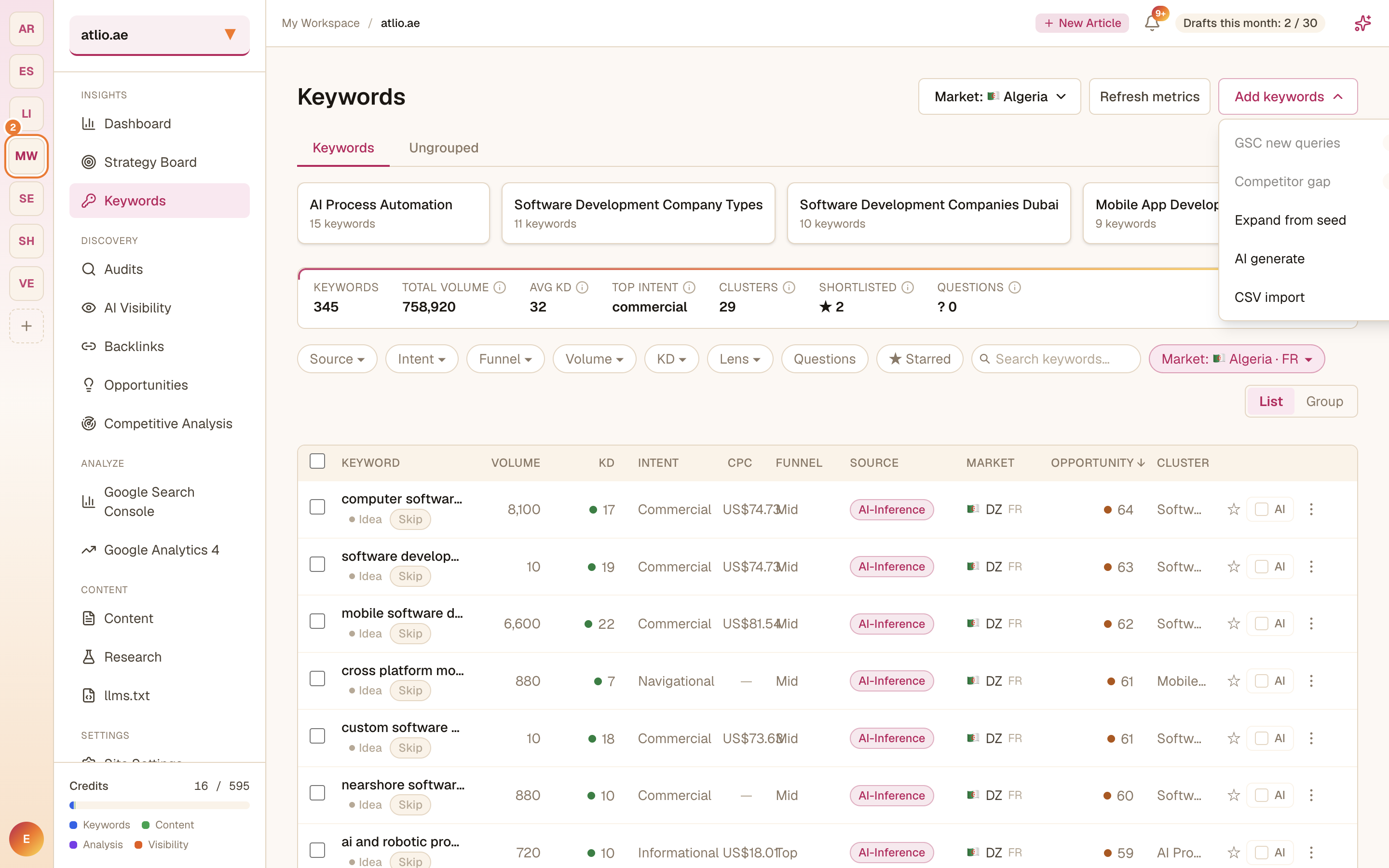
Adding and enriching keywords consumes Keyword Research credits. You can watch your remaining allowance in the Usage & credits panel on the Dashboard.
Read the metrics
Each keyword row shows Volume (monthly searches), KD (difficulty, 0–100), Intent, CPC, Funnel stage, Source, Market, an Opportunity score, and its Cluster. Use the Opportunity score as a quick read on which terms combine reachable difficulty with useful volume.
If the metrics look stale, select Refresh metrics to re-pull search volumes for the current market.
Filter and cluster
Narrow the set with the Source, Intent, Funnel, Volume, KD, and Lens filters, or toggle Questions and ★ Starred. Switch between List and Group views to see your keywords organized into topic clusters — each cluster is a candidate content theme.
Shortlist your targets
For any keyword worth acting on, select Add to shortlist (the star) to mark it. To watch how AI assistants answer for a term, tick Track AI visibility on that row. Your shortlist is what you'll carry into content creation and opportunities.
Related articles
More Core Workflow guides — creating content, tracking AI visibility, and finding opportunities — link here as they are published.
Audit your site and fix what matters first
Run a multi-engine Site Health audit, then work through the issues top-down by severity so you fix what's actually hurting you.
Create and publish content that ranks
Go from a topic to a scored, on-brand draft to a published article — with the Content Writer doing the research and drafting.