 SearchChamp
Find your next content opportunities
Surface exactly what to create or improve next — pulled from your data and ranked by impact.
Knowing what to work on next is half the battle. Opportunities continuously scans multiple sources — your Search Console data, competitors, decaying content, the news, and more — and turns them into a ranked list of things to create or improve, sorted by how much impact they'll have.
What you'll need
- A connected site. Connecting Google Search Console gives Opportunities its richest source.
Steps
Open Opportunities
In the left sidebar under Discovery, select Opportunities. The Discovery view shows your opportunity report and where the ideas come from — each source (GSC, Competitor, Content decay, News, Programmatic, Site keywords) reports how many active opportunities it found and whether it's healthy.
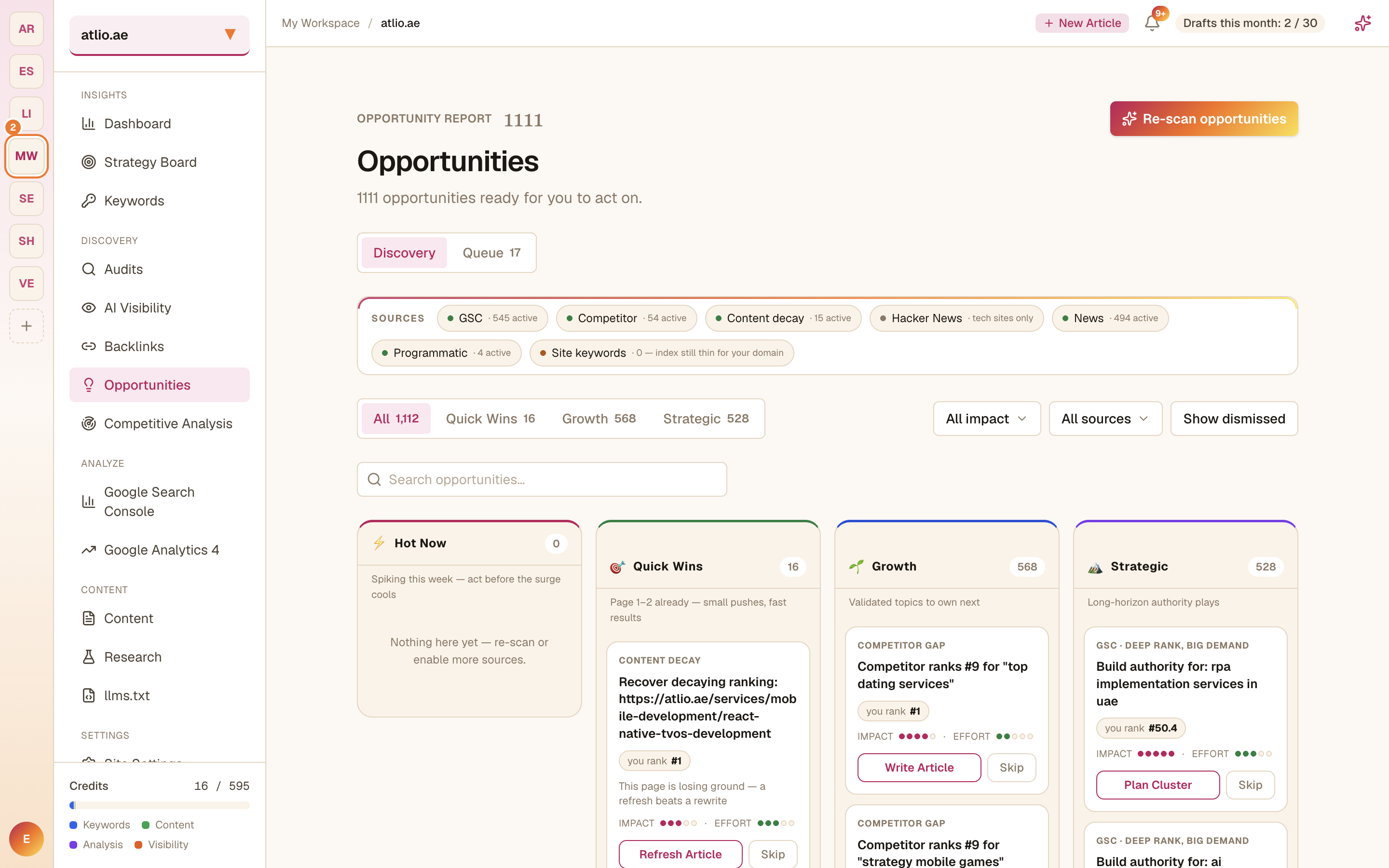
Focus by impact
Switch between the Quick Wins, Growth, and Strategic tabs to sort opportunities by effort-to-impact. Start with Quick Wins — high-impact, low-effort improvements you can ship fast.
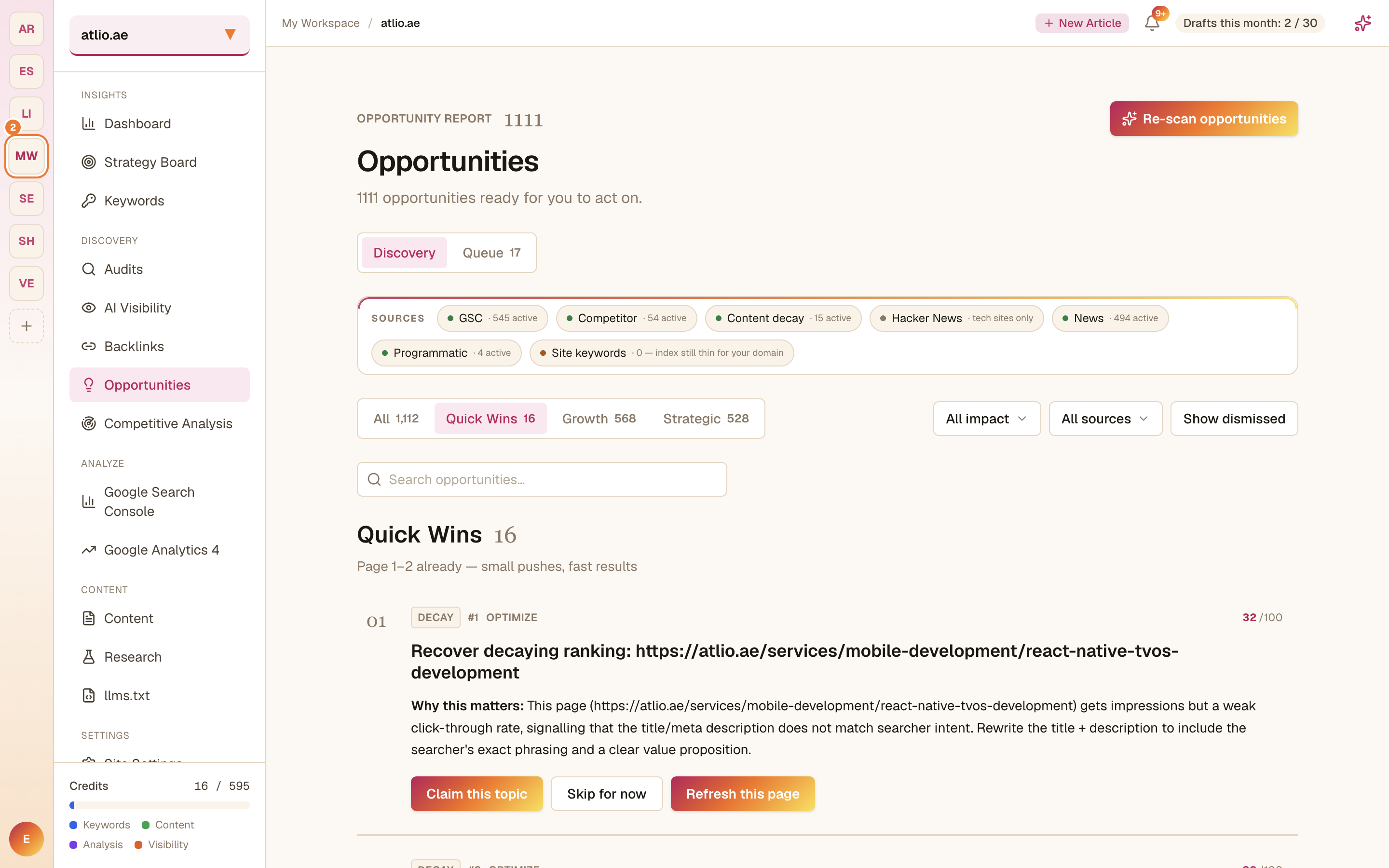
Filter to what matters
Narrow the list by impact and source, and toggle Show dismissed to revisit ones you've set aside. Use this to cut a large list down to the handful worth doing this week.
Act on an opportunity
Add the opportunities you're pursuing to your Queue so you can track them, then create or improve the content they point to — most flow naturally into the Content Writer.
Re-scan for fresh ideas
Select Re-scan opportunities whenever you want an updated pass — for example after publishing a batch of content or connecting a new source.
Re-scanning runs the discovery sources again and consumes credits, so run it when you actually want fresh results rather than on every visit.
Related articles
Grow and protect your backlinks
Track competitor links, turn unlinked brand mentions into links, find prospects, watch links at risk, and run outreach — all from one place.
Analyze your competitors
Track competitor domains, compare their SEO and AI visibility, and deep-dive the pages you're up against.