 SearchChamp
Feature Reference
Keywords
Every column, filter, and action on the Keywords surface.
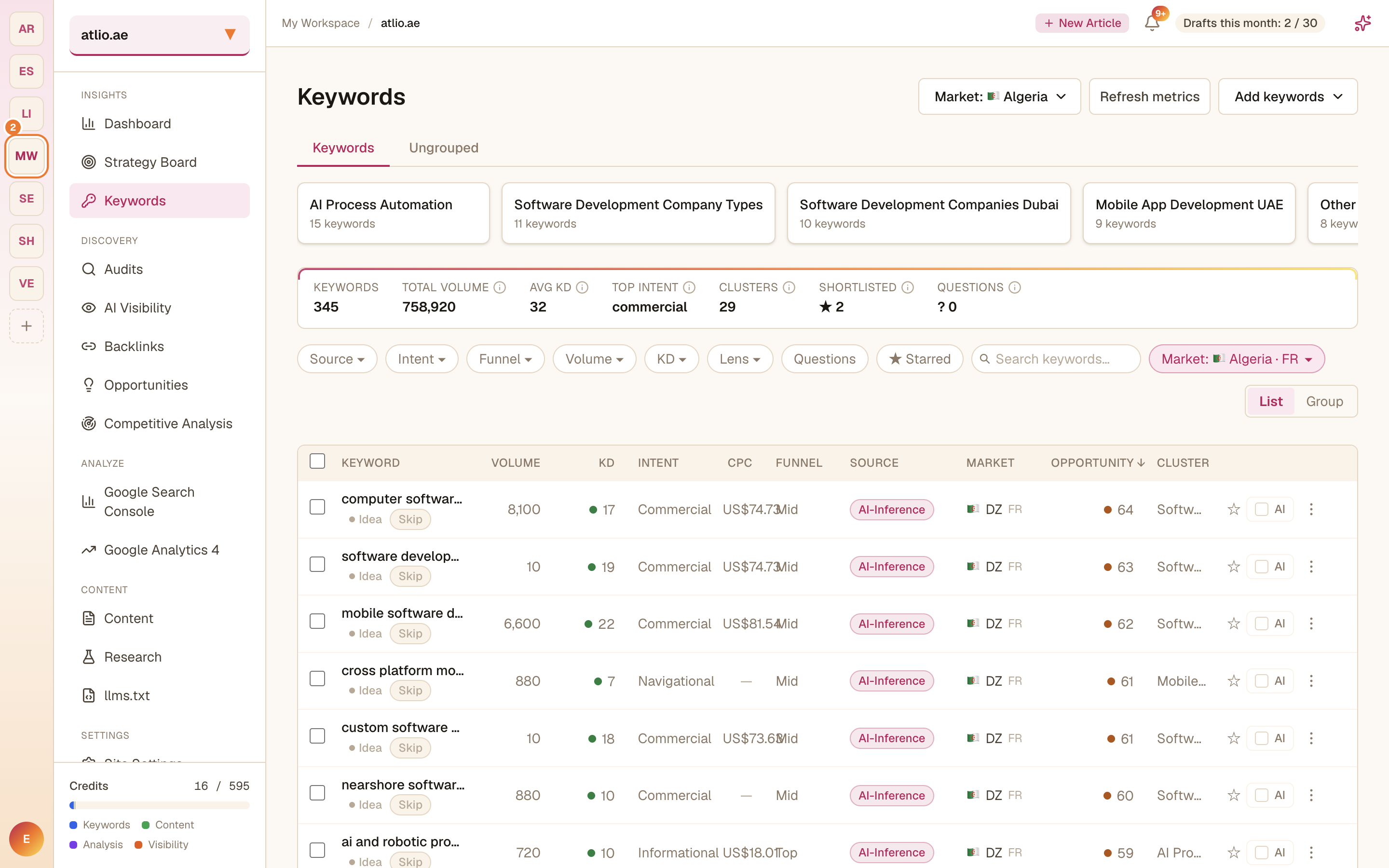
The Keywords surface is your site's keyword set. A summary strip across the top shows total Keywords, Total Volume, Avg KD, Top Intent, Clusters, Shortlisted, and Questions.
The table
Each row is a keyword with these columns: Volume (monthly searches), KD (difficulty, 0–100), Intent, CPC, Funnel stage, Source, Market, an Opportunity score, and its Cluster. A status badge marks whether it's an Idea, Ranking, or already Won.
Controls
- Add keywords — Expand from seed, AI generate, or CSV import.
- Choose keyword market / Refresh metrics — set the market and re-pull volumes.
- Filters — Source, Intent, Funnel, Volume, KD, and Lens, plus Questions and ★ Starred toggles and a search box.
- List / Group — switch between a flat list and topic clusters.
- Per-row actions — Add to shortlist (star), Track AI visibility, and a row menu.